
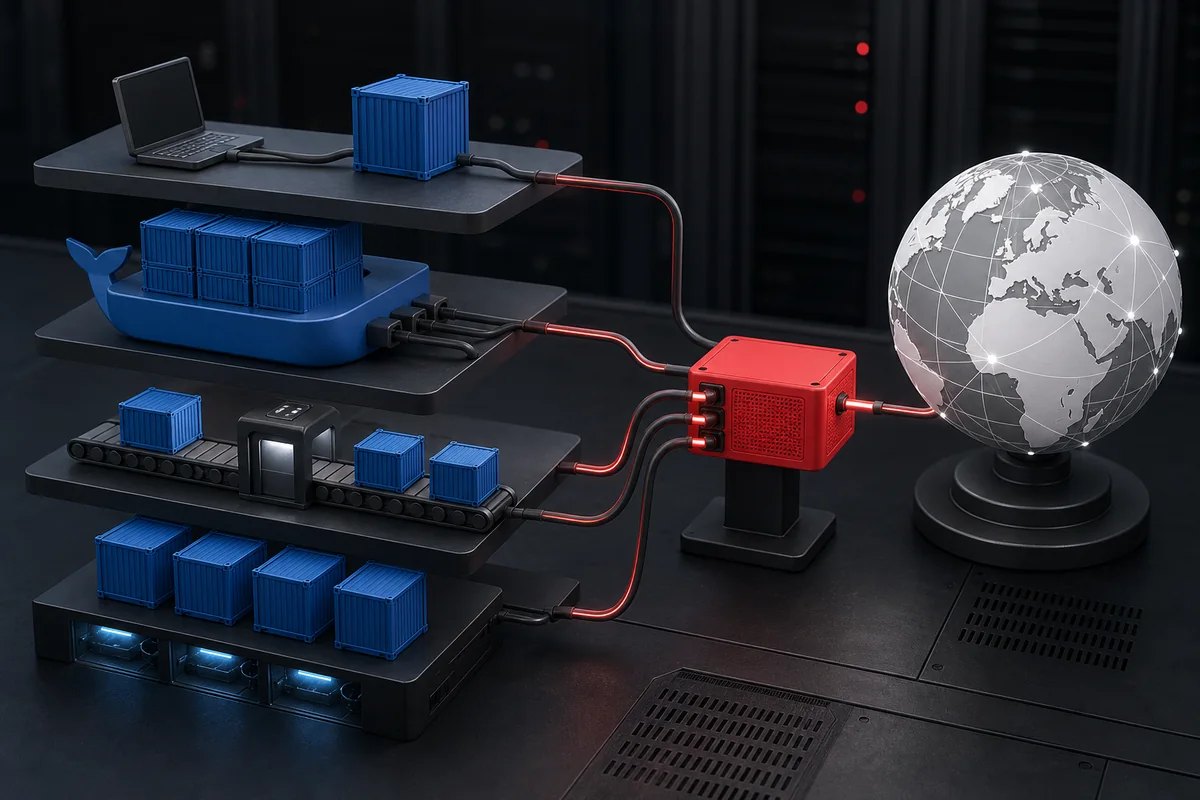
Docker proxy configuration has four separate scopes: the Docker CLI, the Docker daemon, image builds, and processes inside running containers. Configure only the layer that makes the outbound request, add a precise NO_PROXY list, and verify each scope independently.
Scope: this guide covers HTTP/HTTPS proxy routing for Docker Engine and containers. Start with the Proxy Setup and Developer Guides hub for other clients, or review HTTP, HTTPS tunneling, and SOCKS5 behavior before choosing a protocol.
Identify the Docker component that cannot connect
A failed docker pull usually points to the daemon’s network path. A package download during docker build belongs to the build environment. A request made by a running application belongs to the container. The Docker CLI configuration can pre-populate proxy variables for new builds and containers, but it does not retroactively change an already running daemon or container.
| Failure | Proxy scope | Evidence |
|---|---|---|
| Registry pull fails | Docker daemon | Daemon logs and registry response |
RUN apt-get fails in build |
Build proxy | Build step and environment |
| App request fails after start | Container proxy | Variables and app client behavior |
| New containers miss proxy variables | Docker CLI config | Container environment |
Configure the Docker CLI for new builds and containers
The official Docker CLI proxy documentation explains the proxies.default object. A client config can populate proxy variables and build arguments for newly created workloads.
{
  "proxies": {
    "default": {
      "httpProxy": "http://HOST:PORT",
      "httpsProxy": "http://HOST:PORT",
      "noProxy": "localhost,127.0.0.1,.internal.example"
    }
  }
}
Protect the client configuration as a secret-bearing file when the URL contains credentials. Prefer a credential mechanism supported by your environment instead of baking a username and password into a Dockerfile, Compose file, image layer, or repository.
Configure the Docker daemon for registry access
The daemon performs registry pulls and other engine-level requests. Docker’s official daemon proxy configuration recommends the daemon.json approach for Docker Engine; Docker Desktop uses its own settings.
{
  "proxies": {
    "http-proxy": "http://HOST:PORT",
    "https-proxy": "http://HOST:PORT",
    "no-proxy": "localhost,127.0.0.1,.internal.example"
  }
}
After a daemon configuration change, validate the JSON and restart the service through the operating system’s normal service manager. Keep a rollback copy and schedule the restart because it affects active Docker operations.
Pass a build proxy without storing it in the image
BuildKit and the Docker client understand standard proxy build arguments. Pass them at build time or let the client configuration supply them. Do not add ENV HTTP_PROXY with a secret value to a Dockerfile because an image history or derived build can expose it.
docker build \
  --build-arg HTTP_PROXY=http://HOST:PORT \
  --build-arg HTTPS_PROXY=http://HOST:PORT \
  --build-arg NO_PROXY=localhost,127.0.0.1,.internal.example \
  -t proxy-test:local .
Keep the build proxy limited to the stages that need external downloads. A reproducible build should also pin and verify dependencies rather than treating a different route as proof that a downloaded artifact is trustworthy.
Set a container proxy at creation time
A running container normally receives proxy settings as environment variables, and the application inside must honor them. Restarting the Docker daemon does not rewrite a container’s environment. Recreate the container after an intentional configuration change.
docker run --rm \
  -e HTTP_PROXY=http://HOST:PORT \
  -e HTTPS_PROXY=http://HOST:PORT \
  -e NO_PROXY=localhost,127.0.0.1,.internal.example \
  alpine:latest env
Some SDKs ignore environment variables or use language-specific settings. If only one application fails, check its own client documentation and compare it with the curl, Python, and Node.js examples.
Design NO_PROXY from known direct dependencies
NO_PROXY is a bypass list, not a troubleshooting wildcard. Include loopback names, required internal domains, and internal registry endpoints that must be reached directly. Test exact names and subdomain behavior in the runtime you use because matching conventions can differ.
Expected observation: registry pulls work through the daemon route, build downloads work only in the intended build scope, a new container receives the expected variables, and an internal host listed in NO_PROXY remains direct. Existing containers do not silently change.
Docker verification and troubleshooting
- Inspect the active daemon configuration without printing credentials.
- Pull one small approved image and preserve the registry status.
- Build a minimal test stage with explicit timeouts.
- Start a new container and inspect only non-secret variable names and hosts.
- Request a trusted HTTPS exit endpoint from inside the container.
- Test one required
NO_PROXYdestination directly.
A 407 belongs to authentication; a connect timeout belongs earlier; a TLS failure must not be hidden by disabling verification. Use the layered proxy error guide to classify the result.
Security and operational limits: do not copy proxy passwords into Dockerfiles, build logs, Compose files, image labels, shell history, or support screenshots. Use approved registries, verify artifacts, honor destination policies, and rotate any credential that entered an immutable image layer.
Match the proxy to the Docker traffic pattern
Document whether the daemon, builds, containers, or all three need the route, then estimate concurrency, transfer volume, location, and required stability. For fixed infrastructure egress, compare the brief with current private proxy options only after the four scopes are separated.
Does setting a build proxy also configure a running container?
Treat the build and runtime as separate processes with separate configuration. Test the package-fetching step during the build and the application request after launch. A successful image build says nothing about the deployed application’s route. Supply runtime secrets through the deployment’s protected mechanism rather than baking credential-bearing proxy values into the image.
For the related implementation or diagnosis, configure application-owned routing explicitly.