
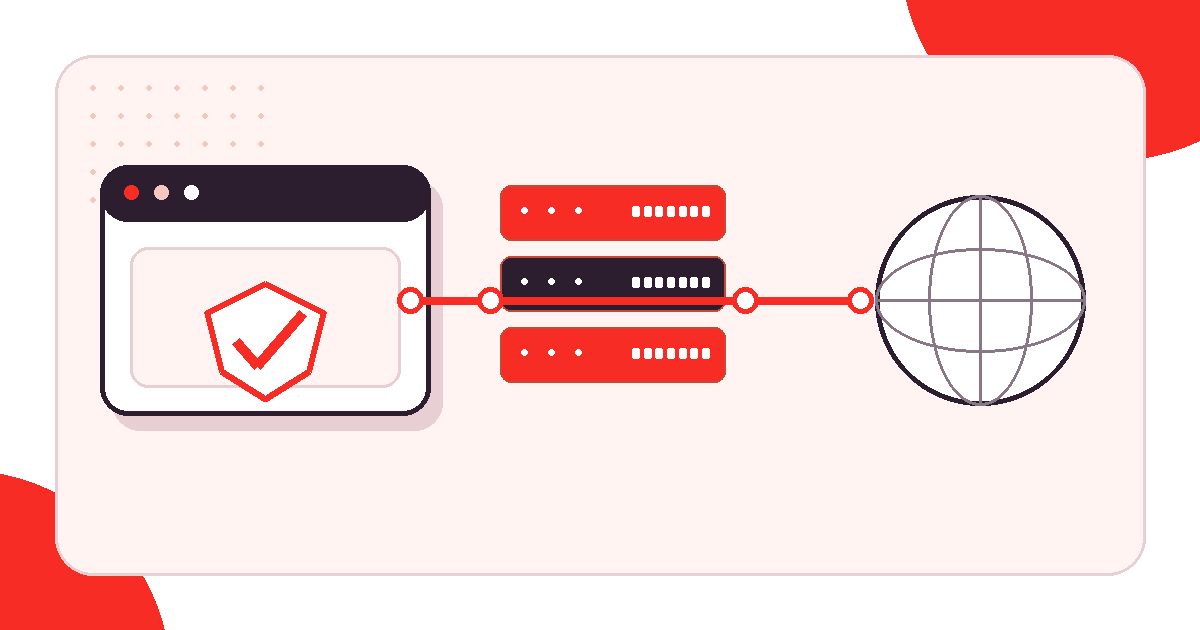
A proxy server sits between an application and the internet. It receives the application’s request, connects to the destination, and returns the response. For traffic using that route, the destination normally sees the proxy’s exit IP rather than the client’s public IP. It does not automatically encrypt all traffic, erase identity, or grant access permission.
Scope: this guide explains the basic network path and its limits within the Proxy Basics hub. If you are comparing browser-based relays, start with the proxy site meaning guide; for a configured browser, use the proxy browser guide.
Request path: client, proxy, and destination
The request path has three roles. The client may be a browser, script, phone, or server. It resolves the proxy host, reaches its port, selects a supported protocol, and authenticates. The proxy then resolves or connects to the requested destination. The response returns across the same two connections. Separating those boundaries makes failures easier to diagnose: a 407 belongs to proxy authentication, while a destination 403 comes from the site beyond the proxy.
What is a proxy server address?
A proxy server address is the connection endpoint supplied to a client: a hostname or IP plus a port, such as proxy.example:8080. Credentials may be entered separately or encoded in an application-supported URL. This entry address is not always the exit IP a destination observes, particularly when a gateway selects from a rotating pool.
Expected observation: after correct configuration, an approved IP-check endpoint reports the proxy exit address. If the direct address remains visible, the application probably bypassed the proxy, used a different profile, or applied an exclusion rule.
What a proxy changes
A forward proxy changes the network route for configured traffic. The destination can observe the exit address, the proxy network, request timing, and whatever application data is sent. Teams use this for stable outbound addresses, controlled egress, regional quality assurance, and reproducible testing. Configuring one browser does not route every program on the device.
The entry address and exit address can differ. A customer may connect to one gateway while the service selects another exit, especially with a rotating pool. A connection string alone is not evidence of the address ultimately presented to the destination.
What a proxy does not change
A proxy does not erase cookies, account history, browser storage, language, timezone, device properties, or identifiers deliberately sent by an application. Logging into the same account still identifies the account. It also does not guarantee a particular city in every geolocation database or make destination rules disappear.
Privacy and authorization limits: use HTTPS destinations with certificate validation enabled, keep proxy credentials out of source code and tickets, and access only systems and data you are authorized to use. Respect destination terms, robots guidance, and rate limits; a changed IP is not authorization.
HTTP and SOCKS overview
| Type | What it routes | Best fit |
|---|---|---|
| HTTP | HTTP requests | Web traffic whose client supports an HTTP proxy |
| HTTPS tunneling | TCP tunnel created with CONNECT | End-to-end TLS web destinations |
| SOCKS5 | Supported general TCP traffic | Applications with native SOCKS support |
| Private or shared | The same protocols with different assignment models | Stable ownership or lower-cost shared use |
| Static or rotating | A fixed exit or an exit selected from a pool | Session continuity or rotation-aware workflows |
An HTTP proxy understands HTTP semantics. For an HTTPS destination, a client commonly asks it to create a TCP tunnel with CONNECT, then performs end-to-end TLS through that tunnel. RFC 9110 defines CONNECT and the tunnel boundary. SOCKS5 works at a more general connection layer. The protocol comparison covers the handshakes in detail.
Verification: prove each boundary
- Record the proxy scheme, host, port, authentication model, and intended client without recording the secret.
- When policy permits, establish a direct baseline to the destination.
- Enable the proxy and request one trusted IP-check endpoint.
- Confirm the observed exit and country against the expected assignment.
- Keep TLS validation enabled and note any certificate warning as a failure.
- Test one authorized destination action at a conservative rate.
- Save status, timing, and failure stage so the result can be reproduced.
A successful IP check proves routing for that request, not a complete privacy verdict. Use the proxy checker testing guide to verify IP, speed, and anonymity signals without assuming that every application follows the same route.
Proxy server FAQ
What does proxy server mean?
It means an intermediary that accepts a client connection and creates a separate connection toward the requested destination.
What is a proxy server address?
It is the host or IP and port a client connects to, sometimes accompanied by credentials. It can differ from the exit IP observed by a destination.
Does a proxy hide my IP?
The destination normally sees the proxy exit for traffic using that route, but direct applications, cookies, accounts, DNS, and browser features can still reveal other identity signals.
How is a proxy different from a VPN?
A proxy usually routes configured applications, while a VPN commonly creates a broader operating-system tunnel. Actual encryption and scope depend on the product and protocol.
Which proxy type should a beginner choose?
Choose the simplest protocol the application supports, then decide whether location, private assignment, a static exit, or rotation is genuinely required.
Choose a commercial next step only after the route is defined
First write down protocol, location, session duration, exclusivity, authentication, concurrency, and an acceptable failure rate. Review current proxy locations and proxy pricing. If the brief requires an endpoint assigned only to your team for stable sessions or allowlisting, compare current private proxy options. Current product pages are the source for availability and terms.