
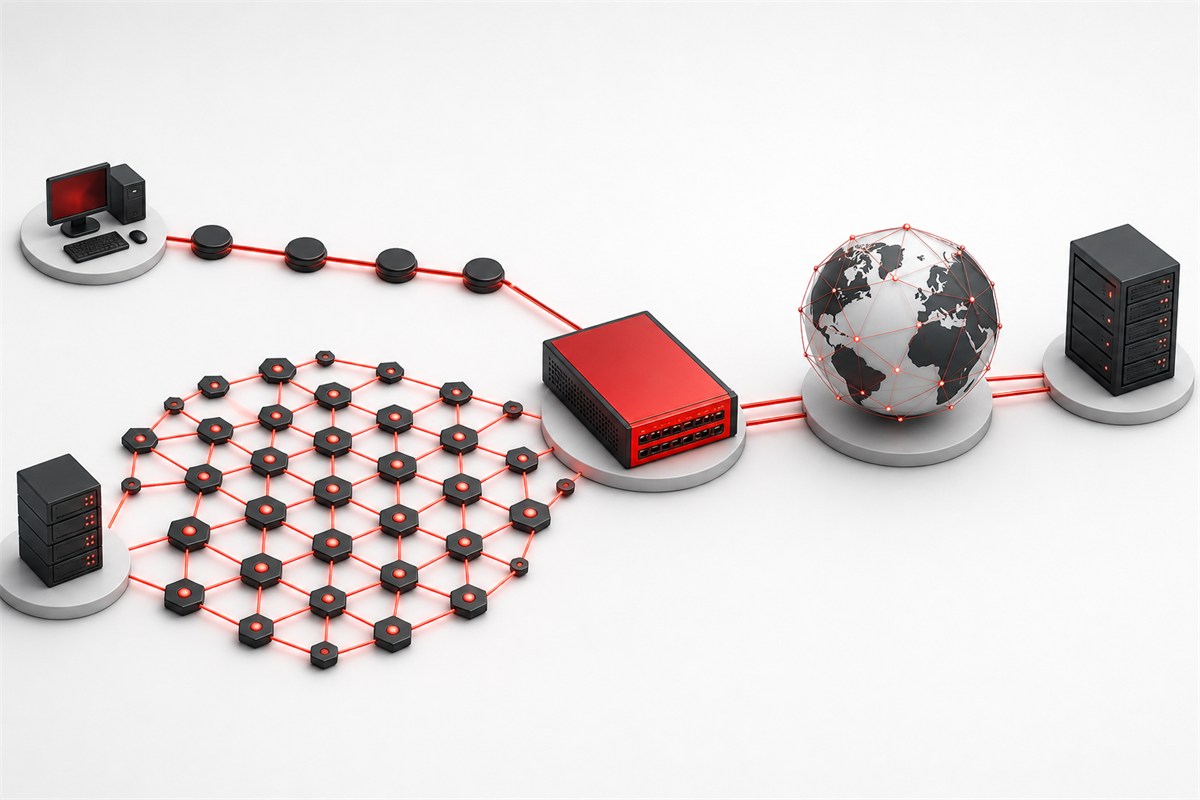
Choose an IPv4 proxy when broad destination compatibility and familiar allowlisting are the priority. Choose an IPv6 proxy only when the proxy service, client, DNS path, and destination all support IPv6 and the route passes an end-to-end test. IPv6 has a vastly larger address space, but address quantity does not guarantee destination acceptance, geographic accuracy, performance, or privacy. A dual-stack service can offer both families, yet each family remains a separate observable route.
Scope: this guide compares the public address family used by a proxy exit and the path toward a destination. It does not promise that every product label describes the client-to-proxy leg in the same way. Read what an IP proxy means for the base terminology and use the Proxy Basics hub for protocol and assignment choices.
Address format: IPv4 and IPv6 identify interfaces differently
IPv4 addresses are 32 bits and are conventionally written as four decimal octets, such as an example from a documentation-only range. The original Internet Protocol specification is RFC 791. Public IPv4 space is finite, and widespread network address translation allows many private devices to share fewer public addresses.
IPv6 addresses are 128 bits and are written as hexadecimal groups separated by colons, with rules for shortening zero groups. The current IPv6 specification is RFC 8200. URL syntax places an IPv6 literal inside square brackets so its colons are not confused with the separator before a port.
In normal proxy configuration, use the hostname supplied by the provider rather than copying a literal address. A hostname lets the operator change infrastructure and can return the family intended for that endpoint. If a literal is required for a controlled test, confirm the client accepts the correct IPv6 bracket notation and does not interpret part of the address as a port.
Address supply is not the same as usable proxy inventory
IPv6’s address space is extraordinarily larger than IPv4’s. That makes address allocation and network design different, but it does not mean that every possible IPv6 address is routed, assigned, stable, or appropriate as a proxy exit. Providers receive prefixes, configure networks, announce routes, bind addresses, enforce abuse controls, and maintain capacity. A large theoretical pool does not remove those operational steps.
Destinations can evaluate an entire prefix or network origin rather than one individual address. Rapidly changing addresses inside one prefix may add little practical diversity while making sessions harder to reproduce. Conversely, a stable IPv6 address can be useful when both sides support it and an allowlist can express it precisely.
IPv4 addresses are scarcer and often more costly to operate, but broad support makes them a predictable default. Do not infer quality from price or family alone. Ownership, exclusivity, load, routing, support, and observed behavior are separate variables.
Destination compatibility remains the deciding constraint
An IPv6 proxy cannot reach an IPv4-only destination over native IPv6 without a translation or dual-stack path supplied somewhere in the service. An IPv4 proxy cannot create native IPv6 destination reachability by itself. Provider gateways may accept one family from the client and exit with another, so distinguish the gateway address from the public address the destination observes.
Many major services support IPv6, but support is not universal or uniform across hostnames, APIs, third-party dependencies, and regional edges. A web page can load its main document over IPv6 and fetch a critical asset from an IPv4-only hostname. An API domain can publish different address records from its authentication or storage domain.
Compatibility must be tested with the exact destination set. List the public hostnames the workflow needs, resolve each one, and make a small approved request through the intended route. Do not use a generic “IPv6 supported” badge as evidence for an application composed of many services.
DNS and dual stack affect which family actually wins
A DNS A record carries an IPv4 address, while an AAAA record carries an IPv6 address. A dual-stack client can receive both. Connection algorithms may try candidates in an order designed to avoid long delays when one family is broken. The resulting family can vary with network conditions and cached history.
The practical deployment concerns described in RFC 6883 include application and operational issues that appear when adding IPv6. For proxy users, the important lesson is that family selection crosses application, resolver, gateway, and destination boundaries. Changing only one setting may not change the observed exit.
A proxy hostname can itself resolve to A and AAAA records. That controls how the client reaches the gateway. Separately, the proxy decides how to resolve and reach the destination. A client may connect to the gateway over IPv4 and receive an IPv6 exit, or the reverse, if the service is designed that way. Record both legs when the distinction matters.
Local DNS versus proxy-side DNS also matters. A SOCKS client configured for remote name resolution can pass the hostname to the gateway. Another client may resolve locally and give the gateway one address. Browser secure-DNS settings can create another path. Test the behavior instead of inferring it from the address family in an endpoint label.
Allowlists need explicit family and prefix rules
An IPv4 allowlist often contains one address with a /32 prefix or a small approved network. An IPv6 allowlist can contain one /128 address or an intentional prefix. Allowing a broad IPv6 prefix simply because individual addresses may change can grant far more access than intended. The service owner and proxy provider should agree on the smallest stable boundary.
Some administrative interfaces accept only IPv4 source addresses. Some accept IPv6 literals but normalize their text differently. Compare addresses numerically rather than as case-sensitive strings, and test the exact input format. Compressed and expanded IPv6 text can represent the same address.
Authentication and allowlisting solve different problems. Proxy credentials authorize the client to use a gateway. A destination allowlist authorizes the observed proxy exit. Both can be required. Keep credentials out of logs and record which exit or prefix the destination expects.
Reputation and geolocation are independent of the family
Neither IPv4 nor IPv6 inherently has “better reputation.” Destinations can consider network ownership, prefix history, traffic patterns, account behavior, request rate, abuse reports, and policy. A new address inside a known network is not a blank identity. Rotating addresses to evade an explicit restriction is not a legitimate troubleshooting technique.
Geolocation databases map addresses or prefixes to estimated locations, and different databases can disagree or lag behind network changes. Verify an intended region with more than one signal when it matters, but treat the provider’s route and the application result as operational evidence, not proof of a person’s physical location.
For stable business integrations, consistency often matters more than pool size. A known exit makes allowlists, incident review, and support tickets easier. For authorized testing that requires several regions, choose documented endpoints and keep the test plan, schedule, and rate bounded.
An IPv6 path can bypass an IPv4-only assumption
A user may configure an IPv4 proxy in one application while other device traffic continues over native IPv6. A simple IPv4 checker then reports the expected proxy, but an IPv6-capable request from another component reveals the direct IPv6 route. That is not a mysterious “leak”; it is an untested routing scope.
Do not disable IPv6 globally as the first response. Determine whether the application supports a complete proxy route, whether the provider offers the required family, and whether split behavior is intentional. Network-wide changes can break local services and hide the actual configuration error.
The proxy leak test guide treats HTTP exit IP, DNS observation, WebRTC candidates, and IPv6 as separate checks. A result is useful only when it names the client and route that produced it.
Family alone does not predict speed
IPv6 can avoid some forms of address translation and may follow a different route, but it can also encounter poor peering, an indirect path, or partial deployment. IPv4 can be heavily translated yet well optimized. Proxy location, gateway capacity, connection reuse, congestion, destination edge selection, and packet loss all influence performance.
Measure direct IPv4, direct IPv6 where available, proxied IPv4, and proxied IPv6 as separate scenarios. Use the same client, request, time window, and limits. Capture DNS time, connection time, TLS time, first byte, complete time, status, and the observed exit family. Repeat samples and report distributions rather than one winner.
IPv4 vs IPv6 proxy decision table
| Requirement | Starting choice | Validation |
|---|---|---|
| Maximum compatibility across mixed sites | IPv4 | Test all required hostnames and APIs |
| IPv6-only destination | IPv6 or dual stack | Confirm native end-to-end reachability |
| Stable destination allowlist | Either stable family | Confirm exact address or narrow prefix support |
| Large claimed pool | Do not decide yet | Evaluate route ownership, stability, and acceptance |
| Dual-stack application testing | Both, tested separately | Record selected family for every case |
| IPv4 proxy with native client IPv6 | Risk review needed | Check whether non-proxied IPv6 traffic is possible |
End-to-end verification sequence
- Record a direct baseline from the exact application, including visible IPv4 and IPv6 addresses.
- Resolve the proxy hostname and record how the client reaches the gateway.
- Enable the proxy and query a neutral HTTPS endpoint that reports the observed address.
- Validate the result as IPv4 or IPv6 and compare it with the assigned endpoint documentation.
- Resolve and request every essential destination hostname with a small, authorized operation.
- Inspect DNS behavior and confirm whether names resolve locally or at the proxy.
- Test allowlisting with the precise address or prefix expected by the destination.
- Repeat after a reconnect and after the normal session duration.
Expected observation: the assigned family is visible at the destination, every required hostname is reachable, DNS and IPv6 behavior match the written design, and the route remains stable for the required session.
Troubleshoot symptoms without guessing
| Symptom | Likely boundary | First check |
|---|---|---|
| Proxy hostname resolves but connection fails | Client-to-gateway family or firewall | A/AAAA answers, port, route, and client support |
| IPv6 checker remains direct | Application routing scope | Whether that request used the proxy at all |
| Some site assets fail | Dependency family support | All requested hostnames, not only the main page |
| Allowlist rejects compressed address | Input normalization or wrong exit | Numeric address equivalence and observed source |
| Location differs by database | Geolocation data | Provider route evidence and multiple observations |
| One family is much slower | Routing or peering | Repeated stage timings on comparable requests |
Use the proxy working test to isolate the gateway before diagnosing a complex application. Change one variable between attempts and preserve redacted evidence.
Requirements before selecting an address family
List destination IPv6 support, required protocols, client behavior, DNS mode, location, stable-session duration, allowlist format, concurrency, and support expectations. Decide whether the exit family must be fixed or whether dual stack is acceptable. Ask the provider what the endpoint label guarantees and how replacement addresses are communicated.
After the route is proven, compare available proxy locations against the required family and region. A location count or IPv6 pool claim is not a substitute for an acceptance test with the real client and destinations.
Responsible-use boundary: use assigned addresses only for authorized traffic, keep aggregate rates within destination rules, do not rotate to evade denial, and preserve an accountable mapping between tests and exits.
Can an IPv6 gateway provide an IPv4 destination exit?
Gateway and exit families are separate connection properties when the service relays between them. Confirm the supported design with the provider and test the actual destination. Record the gateway address family and observed exit family independently; an IPv6 endpoint string alone does not establish IPv6 egress or IPv4 destination compatibility.
For the related implementation or diagnosis, distinguish gateway identity from destination-visible exit.